- JavaScript 98.2%
- C++ 1.2%
- CSS 0.3%
- HTML 0.1%
| Filename | Latest commit message | Latest commit date |
|---|---|---|
| backend | ||
| frontend | ||
| intermediate | ||
| .gitignore | ||
| .gitmodules | ||
| README.md | ||

PENEfiles
Warning: name subject to change.
Penefiles (Stylized: PENEfiles) is a tag-based file & note management system. Store your notes and files here and access them at any time.
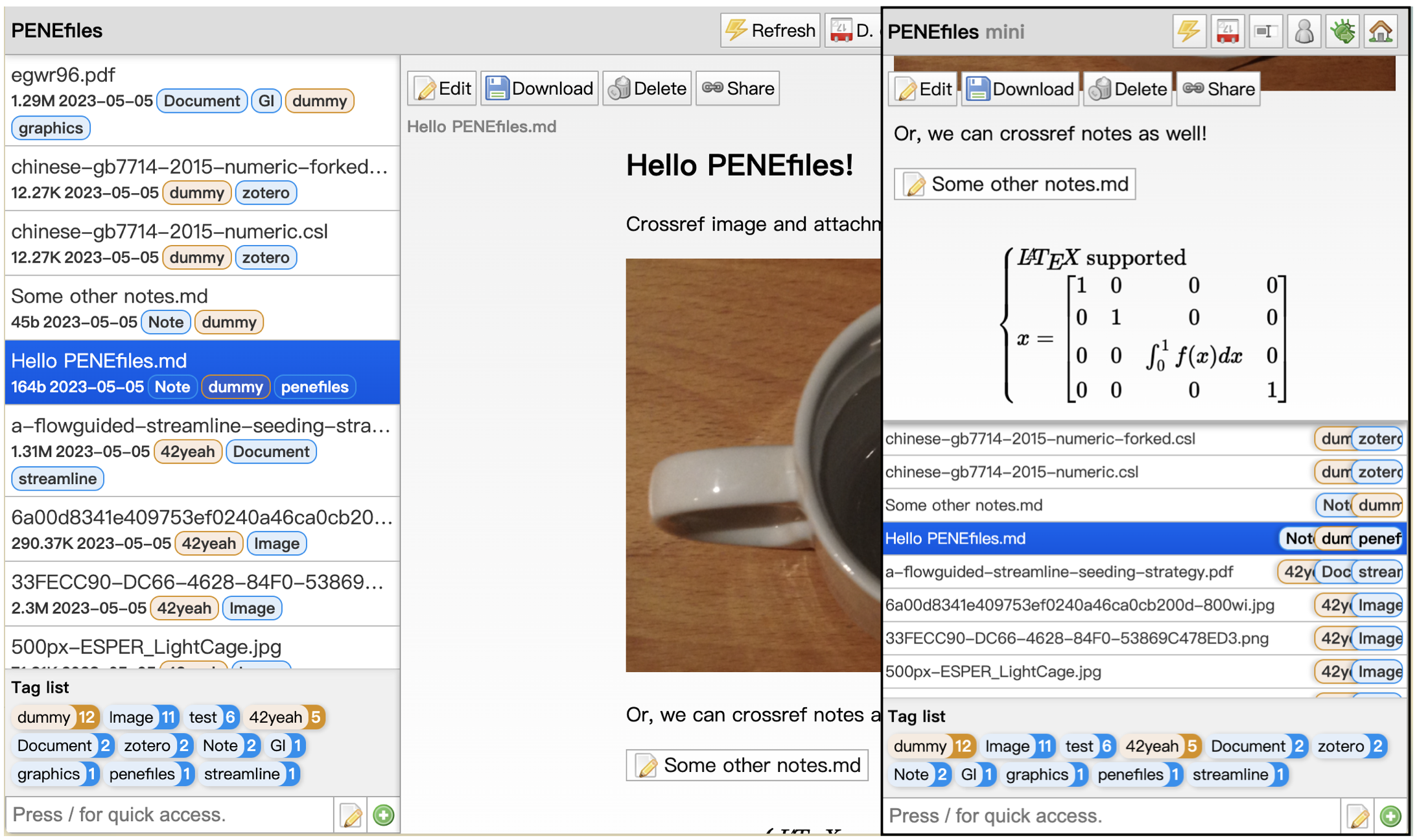
There are no folders in PENEfiles; only tags. Assign one or more tag(s) to each file, and fully exploit the in-system lightning-fast search to locate your files. Read about why PENEfiles is designed this way.
Penefiles is split into two parts, frontend and backend. Frontend is written in vanilla JavaScript, and hopefully is very fast; while backend is written in C++, and powered by Oat++.
Getting Started
First, clone the repository.
git clone --recursive https://github.com/42yeah/Penefiles
Nothing needs to be done on the frontend part. As for the backend, you will need both oatpp and oatpp-sqlite. Don't worry if you don't have them; the recursive clone should cloned both of them down.
Go to the backend/ directory and build PENEfiles backend:
cd backend
mkdir build
cd build
cmake .. -G Ninja # optional: -DCMAKE_BUILD_TYPE=Release
ninja
Everything should now be in the build directory. A full PENEfiles instance should contain:
- a
frontenddirectory with all the frontend stuffs inside; - an
sqldirectory, which stores the file data; - an
uploadsdirectory which stores uploaded files.
Run ./penefiles to start the unboxing run. You will be prompted a few things - this is needed to figure out a configure for you, as PENEfiles requires NGINX (or other webservers) to work. Just follow the instructions. Good luck and have fun! (Also, don't accidentally ninja again since that will definitely wipe your db.)
Custom Installation
Say you want to do things yourself. That's totally fine, but you need to make sure that:
- The
frontenddirectory is accessible from the web server; - The
frontend/js/config.jsis properly configured and points to the backend (or the reverse proxied backend);
And that's it. If you want to directly expose the backend server to the wide world of web, that's cool as well, though it's not advised. To force that, change the listen address in AppComponent:17 from 127.0.0.1 to 0.0.0.0 and allow port 4243 in your firewall.
# Example ubuntu config
sudo ufw allow 4243

# Or, firewalld users -
sudo firewall-cmd --permanent --add-port 4243/tcp
sudo firewall-cmd --reload
Auto Tagging
PENEfiles support auto-tagging of several files based on their extensions. So far, this is hardcoded into the backend and there's no way to change it... yet.
- zip, rar, 7z: Archive
- pdf, docx, doc: Document
- ppt, pptx: Presentation
- xls, xlsx, csv: Spreadsheet
- png, jpg, tiff, jpeg, gif, heic: Image
- mp3, wav, flac, m4a: Audio
- mp4, avi, mov, wmv: Video